How Do You Get Unbanned Permanently With an HWID Spoofer in 2026?
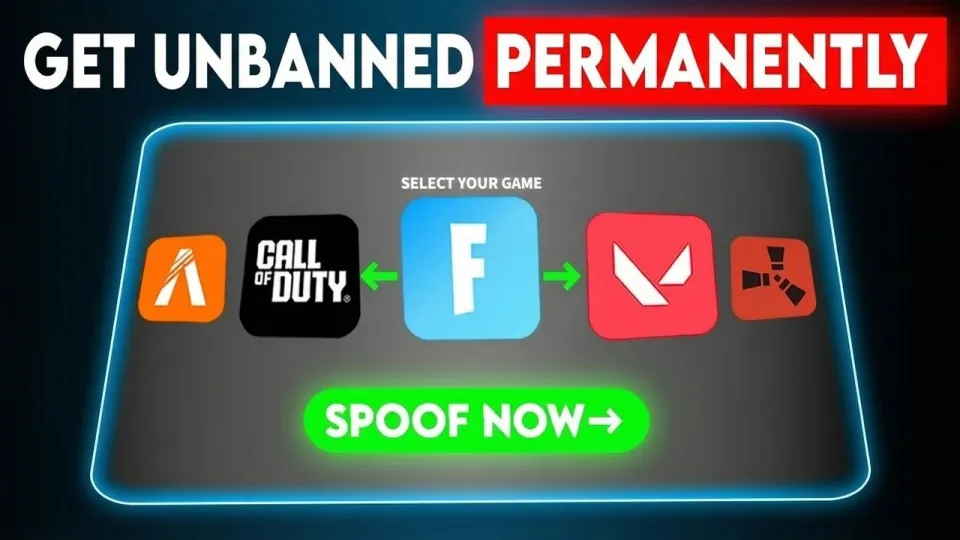
Video: HWID Spoofer 2026 - How to Get Unbanned Permanently
· based on the channel Ghosty Services
Key takeaways
- An HWID spoofer replaces the hardware identifiers anti-cheat systems read, so a hardware ban no longer matches your PC.
- The Ghosty Services spoofer is sold at ghostyservices.xyz and advertised with a 100% refund guarantee and no factory reset.
- Setup is a loader plus a license key, then a single spoof action before launching the game.
- A license key is bound to one machine's HWID; moving it to another PC triggers an 'already used' error.
- Spoofing alone does not protect a fresh account: new behavior, new IP and a new account are part of staying unbanned.
An HWID spoofer gets you unbanned permanently by changing the hardware identifiers that anti-cheat systems use to recognize a banned machine, so the ban no longer points at your PC. In practice that means running a spoofer such as the one sold on the Ghosty Services product page, applying the spoof before launching the game, and then playing on a clean account without repeating whatever triggered the original ban. The spoof removes the hardware block; keeping the unban permanent depends on how you behave afterward.
What an HWID ban actually is and what a spoofer changes
An HWID ban is a block tied to hardware fingerprints rather than to a game account, which is why making a new account does not help on its own. Anti-cheat clients collect a set of identifiers from your machine — drive serial numbers, motherboard and BIOS data, the volume ID of the system disk, network adapter MAC addresses, SMBIOS strings, and sometimes registry and machine GUID values — and hash them into a fingerprint. When that fingerprint is flagged, every account launched from the same PC inherits the block.
A spoofer intercepts those reads and returns plausible but different values, so the fingerprint the game sees no longer matches the banned one. Good spoofers do this at the level where the values are actually queried, not just in the registry, because modern anti-cheat checks both. The Ghosty Services build is advertised as working without a Windows reinstall or factory reset, which is the main practical advantage over the old advice of wiping the drive and hoping the ban does not follow the motherboard.
How to set up the HWID spoofer step by step
Setup follows the same short sequence every time: load the tool, apply the spoof, reboot if prompted, then launch the game.
- Buy a license on the official product page and keep the key somewhere safe — it is the only thing that ties the purchase to you.
- Download the loader from the same source, not from mirrors or reuploads, and disable real-time antivirus interference for the installation if the loader is flagged.
- Run the loader as administrator, paste the license key, and let it verify.
- Start the spoof and wait for the confirmation message; if the tool asks for a restart, restart the PC before opening any game.
- Launch the game on a fresh account and check that you can connect normally.
The whole process typically takes a few minutes. The one rule that matters: apply the spoof before the anti-cheat driver loads, because spoofing after the game is already running leaves the original fingerprint in memory.
Why the license key says it is already used on another HWID
The most common support complaint is a key that refuses to activate because it is bound to a different machine. Spoofer licenses are tied to the hardware fingerprint of the PC they were first activated on, so a key that worked yesterday will fail after a spoof, a Windows reinstall, a drive swap or a move to a second computer — the tool sees a machine it does not recognize and reports the key as already used elsewhere.
The fix is not to buy a second key blindly. Contact support through the official Discord with your order details and the exact error text, and ask for a license reset so the key can be re-bound to the current hardware. To avoid the problem, activate only after the final spoof state is in place, and do not re-run the spoofer repeatedly on a machine whose key is already bound — each spoof that changes the fingerprint can invalidate the binding again. If you plan to spoof more than once, ask about a multi-reset or permanent license tier before paying.
Payment problems, refunds and what the guarantee covers
Declined payments are usually a card-side block rather than a problem with the product. The store page lists several checkout routes; if a card is declined, the usual causes are an international transaction block on the card, a mismatch between billing details and the card, or a fraud filter on a first-time purchase. Trying an alternative payment method or asking your bank to allow the transaction resolves most cases, and Discord support can confirm whether an order was actually created.
The vendor advertises a 100% refund guarantee, which matters because spoofers are a category where buyers have little recourse otherwise. Keep the order confirmation and the license key, and raise any refund request through the official support channel rather than a reseller. Treat marketing claims about working in tournaments with caution: tournament anti-cheat is stricter and manually reviewed, and no spoofer removes the risk of a human reviewing your account history.
Which games the spoofer covers and where it falls short
Coverage is broad across the popular competitive titles — Fortnite, Valorant, Rust and FiveM are the ones buyers ask about most — because they all rely on similar hardware fingerprinting. A Fortnite spoofer and a Valorant spoofer are, in most commercial tools, the same product with the same identifier set; what differs is how aggressively each game's anti-cheat re-checks after the spoof.
Where spoofers fall short is everything that is not hardware. A new account with a fresh fingerprint still gets flagged quickly if it plays at a level or in a pattern that looks like the banned one, if it logs in from the same IP range, or if it is linked through the same phone number, email or payment method. Permanent unban is a combination: clean hardware, clean account, clean network, and no return to the software that caused the ban in the first place.
Keeping the unban permanent
A spoof buys you a new hardware identity; it does not buy immunity. Keep the spoofed state stable and avoid re-running the tool unnecessarily, since every change risks the license binding and can look unusual to anti-cheat telemetry. Use a new account, a different email and, ideally, a different network path than the banned setup used. Do not reinstall the cheat that got you banned — the second detection is usually permanent and comes with fewer recovery options. Finally, keep your loader and license details backed up so a Windows update or driver change does not leave you locked out of your own purchase.
Official links
- Product page and checkout: https://ghostyservices.xyz/product?id=hwid-spoofer
- Support and license resets: http://discord.gg/ghostyservice
Final thoughts
An HWID spoofer is the only realistic way to get around a hardware ban without replacing your motherboard or reinstalling Windows, and the Ghosty Services tool is built around that single job: change the fingerprint, keep the system intact, and let you back into Fortnite, Valorant, Rust or FiveM on a new account. The setup is a loader, a key and one spoof action, and the failure modes are almost always licensing rather than technical. Buy from the official Ghosty Services store, keep your key safe, and treat the unban as a fresh start rather than a free pass. The video breakdown above comes from the Ghosty Services channel and walks through the same steps shown here.
Source: HWID Spoofer 2026 - How to Get Unbanned Permanently · Markdown version
Questions & answers
Does an HWID spoofer permanently remove a hardware ban?
It removes the hardware block by changing the identifiers anti-cheat reads, so the banned fingerprint no longer matches your PC. Whether the unban stays permanent depends on you: a new account, a different network path and no return to the cheating software are what stop a second flag.
Why does my license key say it has already been used on another HWID?
Keys are bound to the hardware fingerprint of the machine they were first activated on. A spoof, a Windows reinstall or a hardware change makes the tool see a new machine, so the key fails. Ask support through the official Discord for a license reset and activate only after the final spoof state is set.
Do I need to reinstall Windows or factory reset my PC before spoofing?
No. The Ghosty Services spoofer is advertised as working without a factory reset, which is the main reason people choose it over wiping the drive. Run the loader as administrator, apply the spoof, restart if prompted, and launch the game on a fresh account.
What should I do if my payment for the spoofer is declined?
Declines are usually card-side: an international transaction block, a billing detail mismatch or a first-purchase fraud filter. Try another payment method listed on the store page or ask your bank to allow the transaction, then confirm with Discord support whether an order was actually created before trying again.